

How Can You Test a TV PCB Board Without Professional Equipment
2026-11-09
When a television stops powering on, shows a blank screen, or behaves erratically, the fault often traces back to the TV PCB Board. Before sending the unit to a repair center, you can perform several reliable checks at home using basic tools. Aisen has supported technicians and DIY enthusiasts for years with practical guidance on diagnosing circuit boards safely and efficiently.
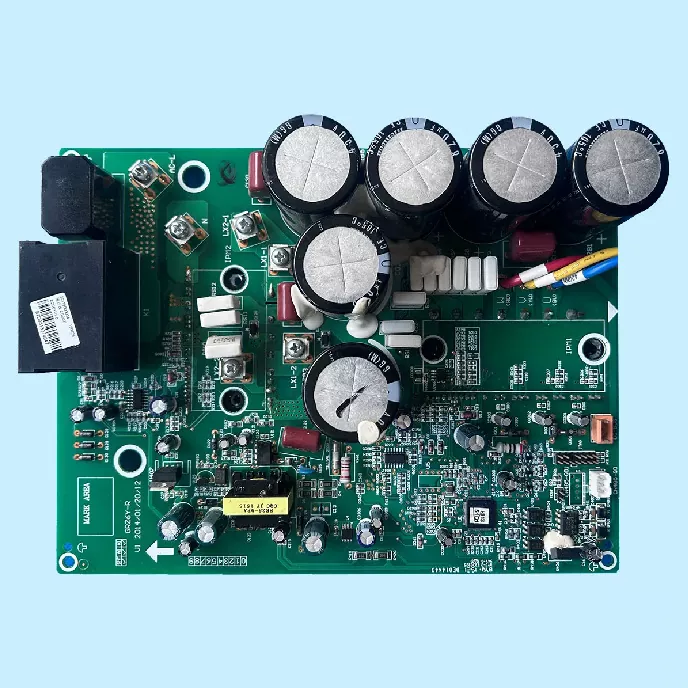
Essential Tools for Basic Testing
You do not need an oscilloscope or a rework station to begin. The following items are enough for a first-round diagnosis:
-
A digital multimeter (continuity, resistance, and DC voltage modes)
-
A screwdriver set for opening the rear cover
-
A magnifying glass or phone camera for visual inspection
-
Isopropyl alcohol and a soft brush for cleaning
-
A known-good power cord and remote control
Step-by-Step Testing Approach
1. Visual Inspection
Disconnect power, remove the back panel, and examine the TV PCB Board for burn marks, bulging capacitors, cracked solder joints, or corrosion. These signs frequently explain intermittent failures.
2. Continuity and Fuse Check
Set the multimeter to continuity mode. Test the main fuse and key power rails. A blown fuse or an open trace points to a power-section fault on the TV PCB Board.
3. Voltage Measurement
With the board powered, measure the standby and main supply voltages against the labels printed on the board. Significant deviation indicates a failing regulator or shorted component.
4. Capacitor and Resistor Testing
Use resistance mode to check for shorted capacitors and out-of-tolerance resistors. Compare readings with the schematic or service manual when available.
5. Thermal Check
After a few minutes of operation, carefully touch the heatsinks and major ICs. Abnormal heat on the TV PCB Board often reveals a stressed component.
Common Symptoms and Likely Causes
| Symptom | Probable Cause on the TV PCB Board | Basic Test |
|---|---|---|
| No power, no standby light | Blown fuse, failed standby supply | Continuity and voltage check |
| Blank screen with sound | Backlight driver fault, open connector | Visual and voltage inspection |
| Random shutdowns | Dry solder joints, overheating IC | Thermal and wiggle test |
| Flickering picture | Loose LVDS cable, weak regulator | Continuity and reseating |
| No sound | Audio IC or coupling capacitor failure | Resistance and voltage check |
Safety Precautions
Always unplug the television before physical inspection. Capacitors on the TV PCB Board can retain charge, so discharge them safely. Work on a non-conductive surface and avoid probing live circuits with bare hands. Aisen recommends limiting live voltage measurements to low-voltage rails unless you are trained for high-voltage work.
When to Stop and Seek Help
If you find multiple failed components, burnt traces, or damage around the main processor, professional service is the safer choice. Board-level rework requires controlled heat and experience that basic tools cannot replace.
Frequently Asked Questions
Can a TV PCB Board be tested with only a multimeter? Yes, a multimeter can check fuses, continuity, resistance, and DC voltages, which covers most common faults on a TV PCB Board.
How do I know if my TV PCB Board is faulty or the panel is bad? Test the backlight and voltage rails first; if the TV PCB Board outputs correct voltages but the screen stays dark, the panel or backlight assembly is the likely culprit.
Is it safe to test a TV PCB Board while powered on? Only low-voltage sections are safe to probe; high-voltage areas require proper isolation and training, so Aisen advises unplugging the set whenever possible.
How long does a basic TV PCB Board test take? A visual and multimeter check usually takes 20 to 40 minutes, while a full voltage and thermal review may take about an hour.
Can cleaning fix a faulty TV PCB Board? Cleaning removes dust and corrosion that cause shorts, but it cannot repair failed components; use it as a preventive step alongside proper testing.
For replacement boards, testing accessories, and technical support, contact us at Aisen today and let our team help you restore your television with confidence.