

Can the Keyence IV4-600MA Be Integrated with PLCs and Industrial Control Systems
2026-11-02
The Keyence IV4-600MA is a compact AI-powered vision sensor designed for inline inspection, and one of the most common questions from automation engineers is whether it can be reliably integrated with PLCs and industrial control systems. The short answer is yes—Keyence IV4-600MA supports multiple industrial communication interfaces that allow seamless handshaking with PLCs, robots, and plant-level control platforms. As a trusted integration partner, Floating Light has deployed this sensor across packaging, automotive, and electronics lines, and this guide shares the practical engineering details behind successful deployments.
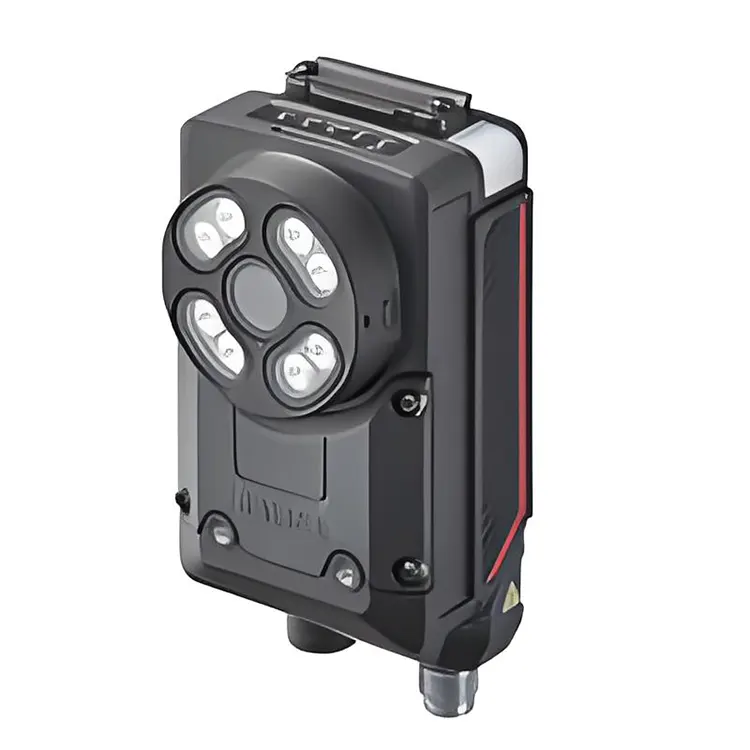
Communication Interfaces at a Glance
The Keyence IV4-600MA offers flexible connectivity options, which is a key reason it fits both new and retrofit projects.
| Interface | Typical Use Case | Integration Notes |
|---|---|---|
| Ethernet (TCP/IP) | Data transfer to PLC or SCADA | Direct socket communication; requires static IP planning |
| EtherNet/IP | Rockwell / Allen-Bradley PLCs | Add as a generic Ethernet module in Studio 5000 |
| PROFINET | Siemens S7-1200/1500 systems | GSDML file import; cyclic I/O for pass/fail signals |
| Discrete I/O | Simple trigger and result output | Hardwired to PLC input cards; lowest latency |
| RS-232C | Legacy controllers and terminals | Suitable for parameter backup and basic commands |
Step-by-Step Integration Workflow
-
Define the handshake logic. Decide whether the PLC will send a trigger and receive a pass/fail result, or whether full measurement data will be transferred over Ethernet.
-
Select the protocol. For Siemens environments, Keyence IV4-600MA PROFINET integration is the cleanest path. For Rockwell plants, EtherNet/IP is preferred.
-
Configure the sensor. Assign a fixed IP address, set the trigger mode, and map output signals using the dedicated configuration software.
-
Map I/O in the PLC. Import the device description file and assign result bits to internal tags for traceability.
-
Validate timing. Confirm that inspection cycle time fits within the PLC scan and line takt time.
-
Document and back up. Save parameter files and PLC project archives—Floating Light recommends version-controlled backups for every station.
Practical Engineering Considerations
-
Latency: Discrete I/O delivers the fastest response; Ethernet-based protocols add a few milliseconds of jitter.
-
Determinism: PROFINET and EtherNet/IP provide cyclic data exchange, which is preferable for high-speed rejection logic.
-
Data richness: Ethernet TCP/IP allows full result strings and image statistics to reach MES or SCADA layers.
-
Scalability: Multiple Keyence IV4-600MA units can share a network segment, but plan IP addressing and switch capacity in advance.
Frequently Asked Questions
Can the Keyence IV4-600MA connect directly to a Siemens S7-1500 PLC?
Yes. The Keyence IV4-600MA supports PROFINET, so it can be imported into TIA Portal using a device description file and configured for cyclic I/O exchange, enabling trigger signals and inspection results to be handled natively within the PLC program.
Does the Keyence IV4-600MA require a separate controller for PLC integration?
No separate controller is required. The Keyence IV4-600MA performs inspection internally and communicates results directly to the PLC via discrete I/O, Ethernet, PROFINET, or EtherNet/IP, which reduces cabinet space and wiring complexity.
How does Floating Light support Keyence IV4-600MA integration projects?
Floating Light provides protocol selection, network architecture design, PLC program development, on-site commissioning, and operator training, ensuring each Keyence IV4-600MA station is validated against takt time and quality traceability requirements before handover.
Contact Us
Ready to integrate the Keyence IV4-600MA into your PLC-controlled production line? Contact Floating Light today to discuss your application, request a feasibility assessment, or schedule a technical consultation with our automation engineering team.